Seal your documents. Keep them yours.
Turn a photo of your ID, bank card, or document into a clean, redacted PDF you can hand over with confidence — entirely on your iPhone. No account, no internet, no uploads.
Fully offline · No internet · No account
Preview everything free · One-time unlock $9.9 (¥9.9 in China)
Not "we promise not to look" — we built it so we couldn't if we tried.
-
Fully offline
The app requests no network access — there is no networking code in either target. No account, no login, no analytics or tracking SDKs.
-
Photos never leave your device
Photos come through Apple's system picker, so Cachera only sees the ones you choose. Crop, redact, lay out, and export all happen on device.
-
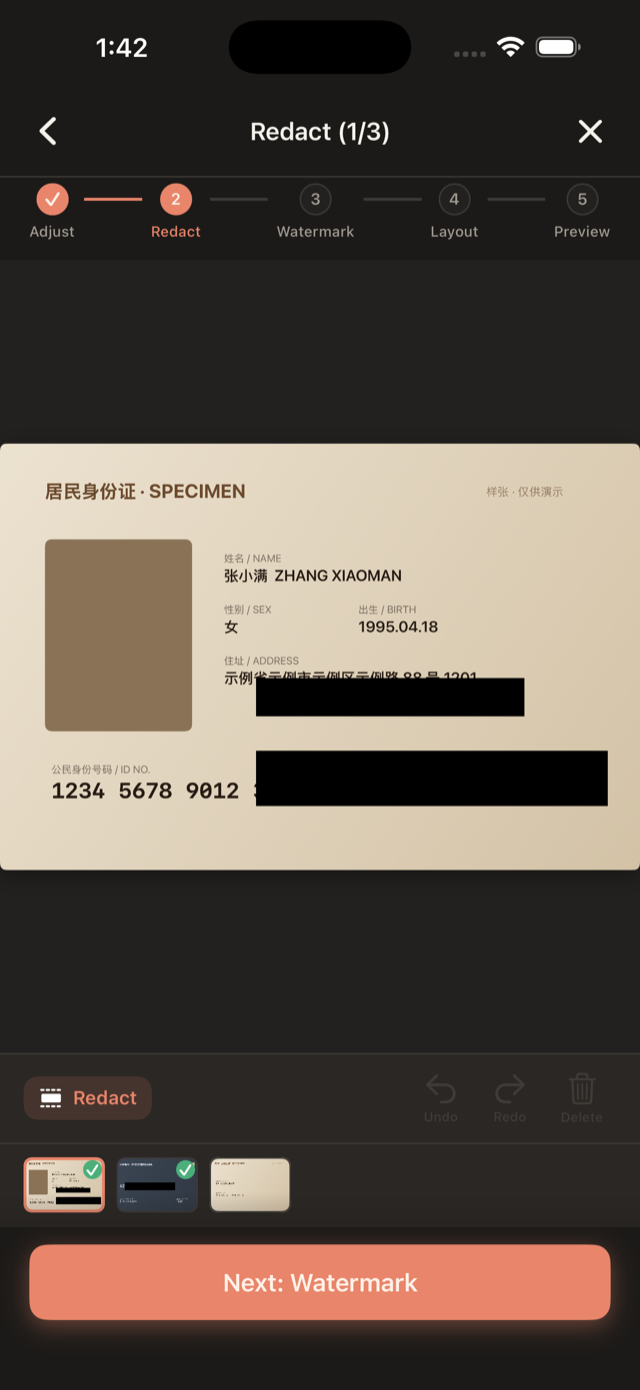
Redaction truly erases
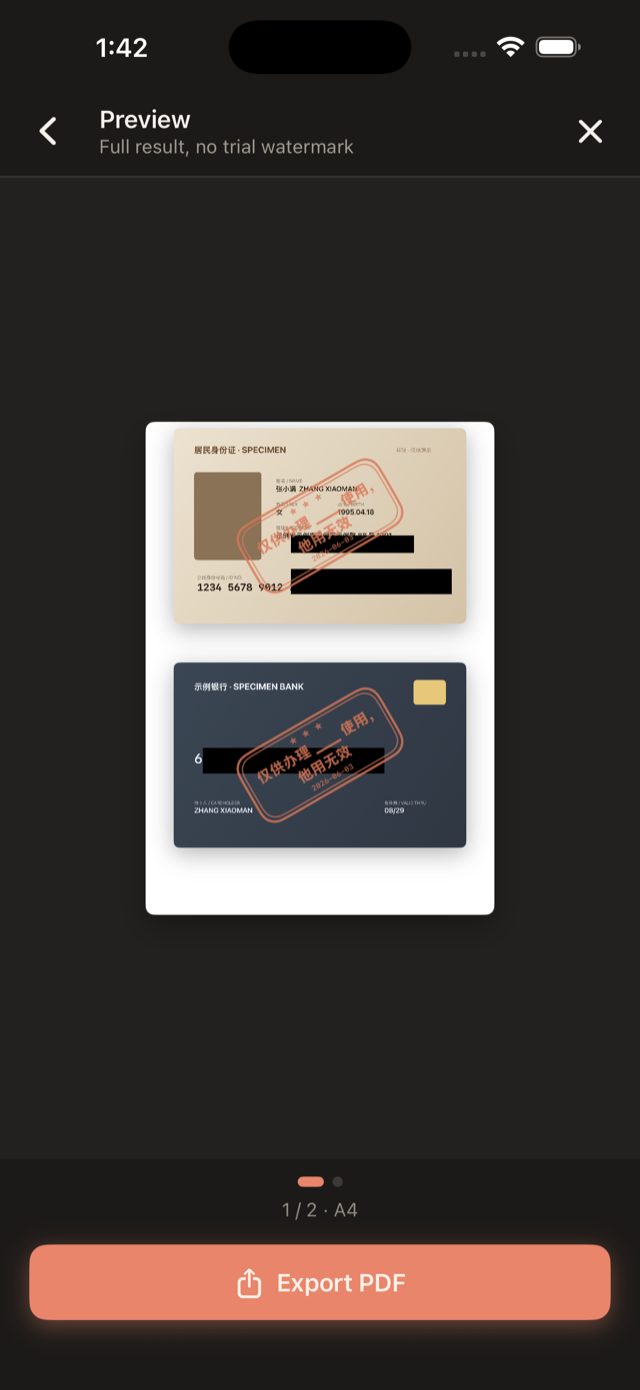
On export the covered pixels are flattened into the page with no recoverable layer underneath — there is no original beneath the black bar.
Six steps to a hand-over-ready redaction
From picking photos to export, every step stays on your phone.
- 01
Pick
Choose the documents with the system picker. Drag to reorder — order is page order.
- 02
Straighten
Crop, rotate, and flip to square up a crooked scan.
- 03
Redact
Drag black blocks over sensitive fields. The covered pixels are truly destroyed — they can't be recovered.
- 04
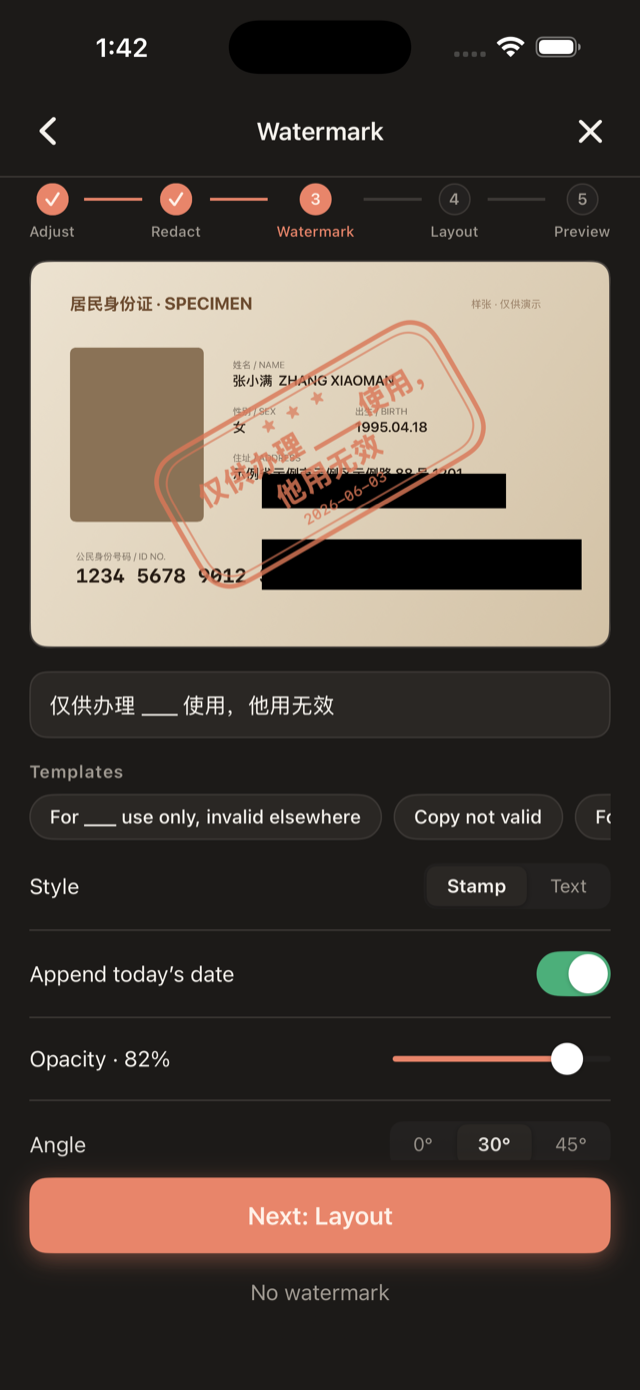
Stamp
Add a purpose seal or plain-text watermark like "For ___ use only" so a copy can't be reused elsewhere.
- 05
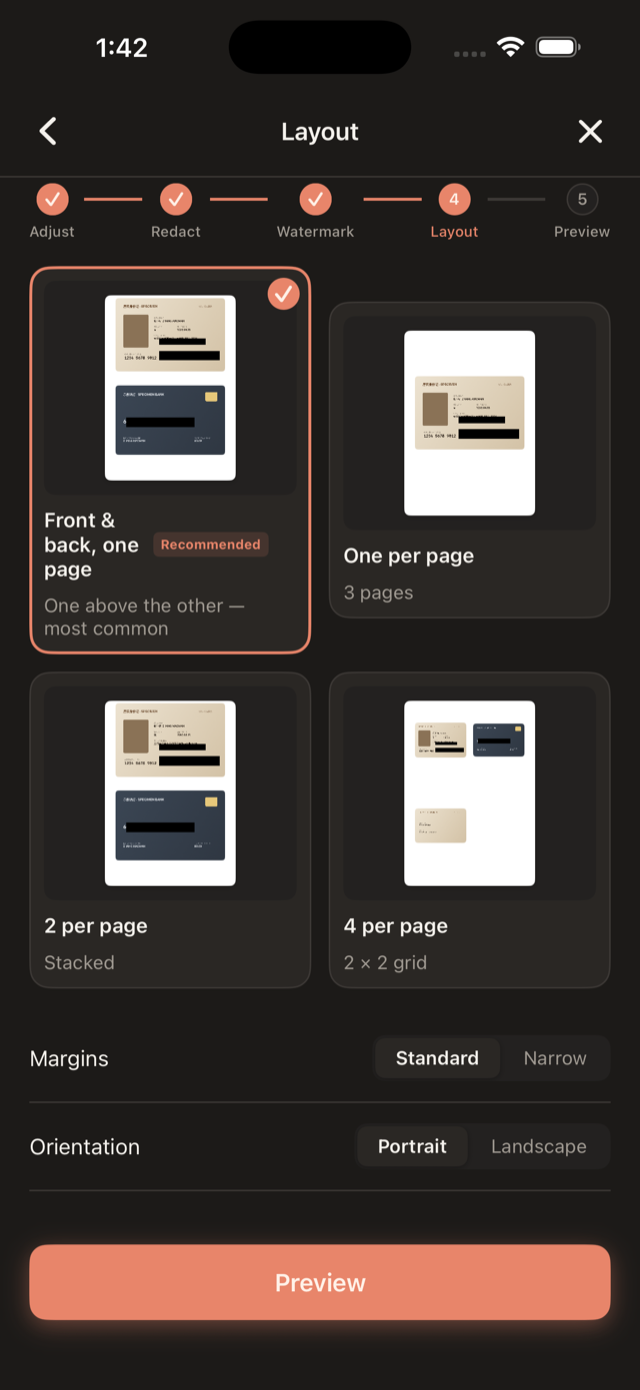
Lay out
Arrange on real A4: front & back on one page, one per page, 2-up, or 4-up.
- 06
Export
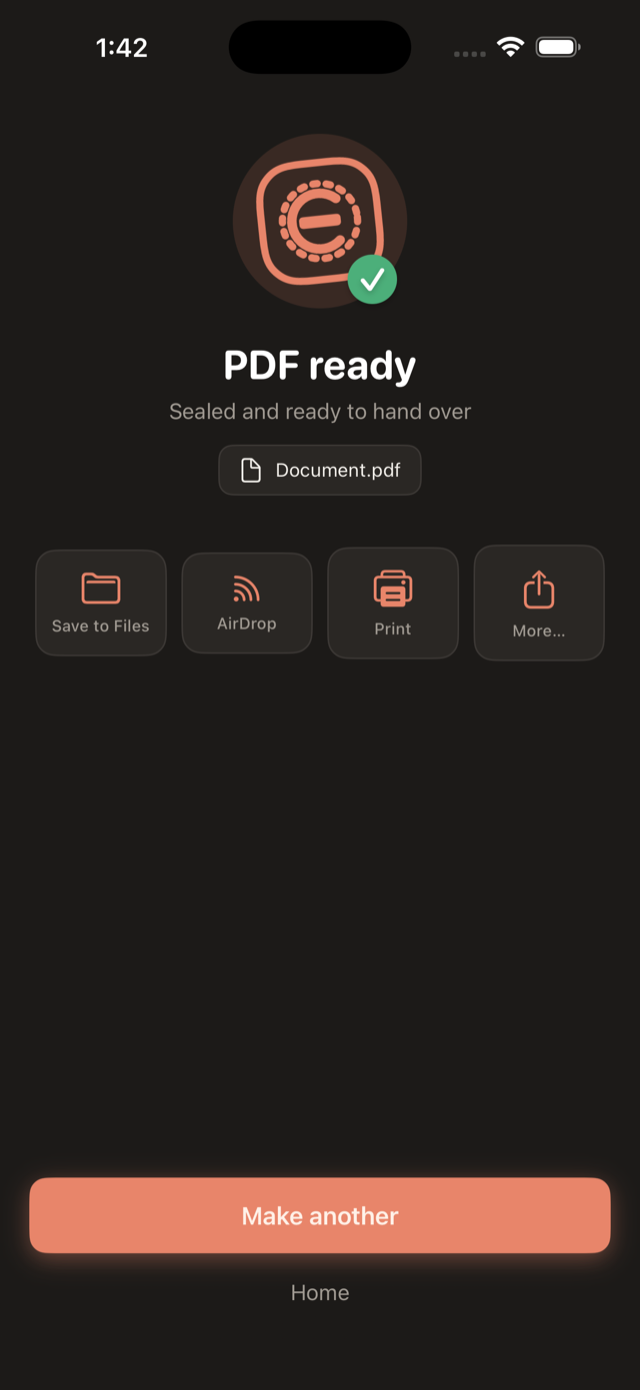
Generate a print-ready PDF and share, AirDrop, or print it.
Everything you need, nothing you don't
-
Only the photos you pick
Cachera uses the system PhotosPicker, so it can't see your whole library — only the photos you select.
-
Drag a box, truly erase
On export the black blocks are flattened into the page bitmap — no recoverable layer beneath. (Verified by rendering the exported PDF back to an image.)
-
Seal & watermark
Built-in templates like "For ___ use only", a stamp or plain-text style, adjustable opacity, angle, and density, with optional auto-date.
-
Real A4 layouts
Front & back on one page, one per page, 2-up, or 4-up. ~252 dpi page raster — what you preview is exactly what exports.
-
Right inside Messages
A bundled iMessage extension lets you pick, redact, stamp, and send the redacted image without leaving the conversation.
-
One-time unlock
Preview everything free. A single one-time purchase unlocks unlimited exports — no subscription, no auto-renewal, yours forever.
Nothing lives under the black bar.
On export the whole page is rasterized to a single bitmap — the areas you black out are flattened in as pixels, with no "original" layer left underneath. We verified it by rendering the exported PDF back to an image: nothing can be recovered from beneath the bars.
- Pixel-level flattening, not a removable mask layer
- What you send from iMessage is a flattened bitmap too
- Verified by rendering the PDF back to an image
- Name
- Zhang Xiaoman
- Sex
- F
- Born
- 1995.04.18
- ID Number
- 110105 1995 0418 2341
The black bar isn't painted on top — the pixels underneath are gone.
Redact and send without leaving the chat
Landlord needs the lease? Agent wants a copy of your ID? Right inside Messages, pick a photo, black out what matters, stamp it, and drop it into the conversation — what gets sent is a flattened image, not the original.
- Pick → redact → stamp → send
- Sends a flattened bitmap that can't be undone
- Shares the same one-time PRO unlock as the app
Pay once, use forever
Preview everything for free — no trial watermark. Only export (and inserting the result in iMessage) needs the unlock.
One-time payment · ¥9.9 in China
- Fully offline — photos never upload
- Unlimited exports, no watermark
- No subscription, no auto-renew
- Pay once, use forever
No subscription · No auto-renewal · Purchased through the App Store
Frequently asked questions
Is anything uploaded?
No. Cachera is fully offline and requests no network access. Your photos never leave your device.
Are redacted areas really gone?
Yes. On export the black blocks are flattened into the page bitmap — there is no recoverable layer beneath them in the PDF.
Why does the picker only show some photos?
Cachera uses Apple's system picker, which only shares the photos you select. This is by design.
What does PRO unlock?
PDF export (and inserting the redacted result from the iMessage extension). It's a one-time purchase — no subscription, no auto-renewal. Restore it anytime from Settings → Purchase.
Where are my exported PDFs?
They're created on demand and shared via the share sheet (Save to Files, AirDrop, Print…). History is off by default; enable it in Settings → On-device data.
Is there a subscription?
No. Cachera is a one-time purchase ($9.9 / ¥9.9 in China) with no subscription and no auto-renewal.
Which devices are supported?
iPhone and iPad running iOS 17 or later.
Seal it before you hand it over.
Fully offline, photos never upload. Pay once, use forever.
Preview everything free · One-time unlock $9.9 (¥9.9 in China)